Understanding Objects in JavaScript
Hostel Programmer Life: Learning JavaScript One Night at a Time
It was another late evening in Boys Hostel No. 8. The corridor was noisy as usual. Someone nearby was watching a cricket highlight video, and a group of friends were debating whether to order food or cook Maggi again.
Meanwhile I was sitting quietly at my desk with my laptop open, continuing my journey of learning JavaScript.
Until that point I had learned about variables, arrays, and functions. Everything seemed manageable. But then I came across a concept that appeared everywhere in JavaScript programs.
Objects.
At first the term sounded complicated, but after experimenting with a few examples in my hostel room console, I realized that objects are simply a way to organize related information together.
Understanding objects is extremely important because almost everything in JavaScript revolves around them.
What Are Objects in JavaScript?
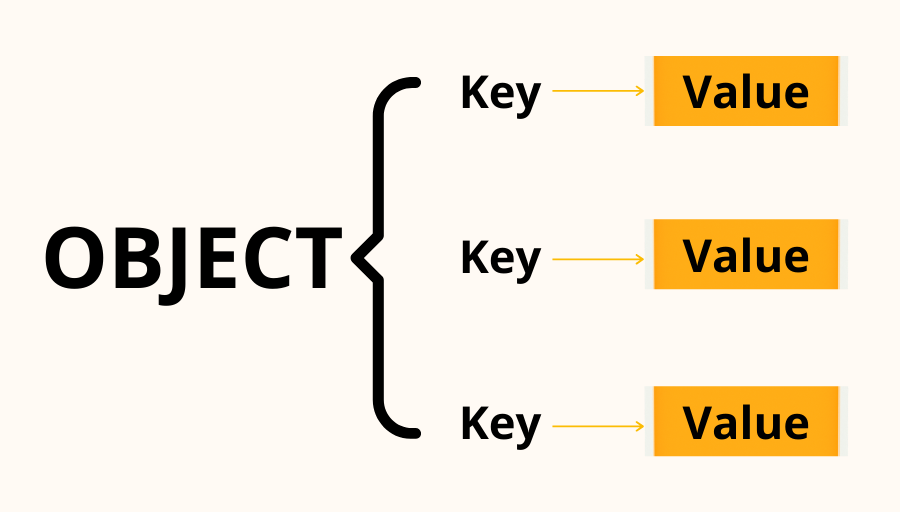
An object is a collection of related data stored in the form of key-value pairs.
Think of it like describing a person.
If you wanted to store information about someone, you might write:
name
age
city
Instead of storing these values separately, an object allows us to group them together.
Example:
let person = {
  name: "Rahul",
  age: 21,
  city: "Chandigarh"
};
Here the object person contains three pieces of information.
Each entry inside the object is called a property.
Structure:
key : value
Example:
name : Rahul
age : 21
city : Chandigarh
While experimenting with this example late at night in my hostel room, it became clear that objects help represent real-world entities in code.
Why Do We Need Objects?
Imagine trying to store information about a student using separate variables.
let name = "Rahul";
let age = 21;
let city = "Chandigarh";
This works, but it becomes messy when programs grow larger.
Objects solve this problem by grouping related information together.
let student = {
  name: "Rahul",
  age: 21,
  city: "Chandigarh"
};
Now all information about the student is stored inside one structure.
Objects make programs:
easier to organize
easier to manage
closer to real-world representation
That evening in my hostel room, this idea made JavaScript feel much more practical.
Creating Objects
Objects are created using curly braces {}.
Inside the braces we define properties using key-value pairs.
Example:
let person = {
  name: "Aman",
  age: 22,
  city: "Delhi"
};
Each property is separated by a comma.
Structure:
{
  key: value,
  key: value
}
This simple structure is the foundation of many JavaScript programs.
Accessing Object Properties
Once an object is created, we often need to access its values.
JavaScript provides two common ways to do this.
Dot notation
Bracket notation
Dot Notation
The most common method is dot notation.
Example:
let person = {
  name: "Aman",
  age: 22,
  city: "Delhi"
};

console.log(person.name);
Output:
Aman
Here JavaScript looks inside the object and retrieves the value of the name property.
While practicing examples in my hostel room console, dot notation quickly became the most natural way to access object data.
Bracket Notation
The second method is bracket notation.
Example:
console.log(person["age"]);
Output:
22
This method is useful when the property name is stored inside a variable.
Example:
let key = "city";
console.log(person[key]);
Output:
Delhi
Both methods achieve the same result, but dot notation is usually more readable.
Updating Object Properties
Objects are flexible. Their values can be updated easily.
Example:
let person = {
  name: "Aman",
  age: 22,
  city: "Delhi"
};

person.age = 23;

console.log(person.age);
Output:
23
This ability to update properties makes objects very useful when handling dynamic data.
While experimenting with these updates during a quiet coding session in my hostel room, it became clear how easily objects adapt to changing information.
Adding New Properties
We can also add new properties to an object.
Example:
person.course = "Computer Science";
Now the object becomes:
{
  name: "Aman",
  age: 23,
  city: "Delhi",
  course: "Computer Science"
}
Objects grow naturally as new information is added.
Deleting Properties
Sometimes we may want to remove a property.
JavaScript provides the delete keyword for this.
Example:
delete person.city;
Now the object no longer contains the city property.
Looping Through Object Keys

Often we want to access every property in an object.
JavaScript provides a loop called for...in.
Example:
let student = {
  name: "Rahul",
  age: 21,
  course: "IT"
};

for (let key in student) {
  console.log(key, student[key]);
}
Output:
name Rahul
age 21
course IT
This loop goes through every key inside the object and retrieves its value.
While experimenting with this loop during a late-night coding session in Boys Hostel No. 8, it felt satisfying to see all object data printed automatically.
Array vs Object
It is also important to understand the difference between arrays and objects.
| Feature | Array | Object |
|---|---|---|
| Data structure | Ordered list | Key-value pairs |
| Access method | Index | Property name |
| Example | [10,20,30] |
{name:"Rahul"} |
Example array:
let numbers = [10, 20, 30];
Example object:
let person = {
  name: "Rahul",
  age: 21
};
Arrays store lists of values, while objects store structured information about something.
Small Practice Assignment
Try this exercise in your browser console.
Step 1: Create a Student Object
let student = {
  name: "Rahul",
  age: 21,
  course: "Information Technology"
};
Step 2: Update a Property
student.age = 22;
Step 3: Loop Through the Object
for (let key in student) {
  console.log(key, student[key]);
}
Observe how all keys and values are printed.
A Reflection from My Hostel Desk
That night in Boys Hostel No. 8, after experimenting with objects for a while, something important became clear.
Programming is often about representing real-world things in code.
Objects make that possible.
They allow us to group related information together and describe real-world entities such as students, products, or users.
Once you understand objects, many advanced JavaScript topics begin to make more sense.
And like most programming concepts, the understanding usually begins with simple experiments.
Sometimes those experiments happen quietly on a laptop screen, late at night, in a hostel room filled with curiosity and determination.


